Reduce manual entry
Extract readable supported fields so your onboarding process depends less on repeated transcription.
Turn a document photo into a useful next step.
Names, document numbers and dates should not have to be typed into the same system again and again. VeriqoCheck Document Scan reads supported identity documents and organises the available information for your workflow. Help customers submit usable evidence and let your team spend more time on decisions than transcription.
Turn supported identity-document photos into structured information and identify incomplete submissions earlier.
Extract readable supported fields so your onboarding process depends less on repeated transcription.
Distinguish extracted information from missing or unreadable fields and give customers a useful next capture instruction.
Keep the document evidence and extracted information connected for authorised reviewers.
When you need issuer-signed chip evidence and live presenter matching, Digital Identity extends the document journey.
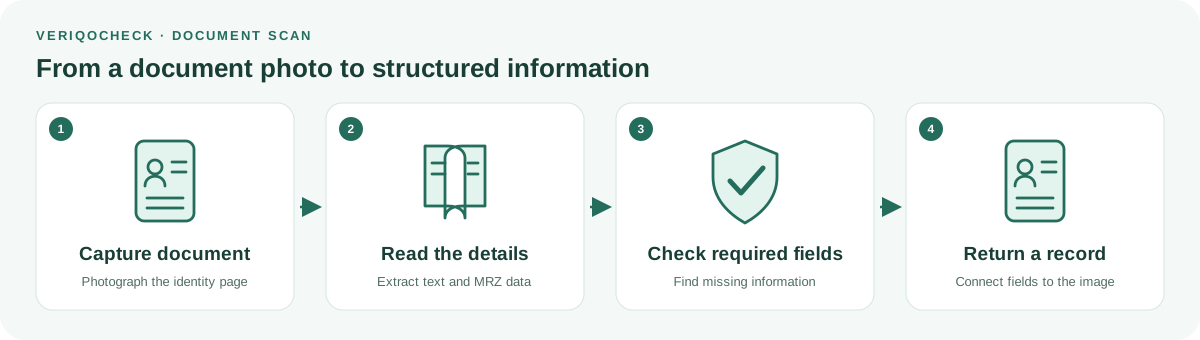
The applicant photographs the requested identity page through the supported capture journey.
Extract readable text and machine-readable data where available, keeping missing fields distinguishable.
Populate your workflow, ask for a clearer capture or route the information for review.
Available information can include names, document identifiers, birth date, expiry, nationality and issuing state. Availability depends on the document and capture. Keep a successfully extracted field distinguishable from missing information or unconfirmed authenticity.
Across African markets, customers present different formats and generations. Agree the countries and documents you need, confirm a supported capture path and explain what the customer should submit. Africa first means market-by-market validation, not universal coverage.
AI extracts available fields from supported document images. A successful extraction is not proof that a document is authentic.
Our AI and verification approach →Printed-text extraction is not cryptographic issuer proof, sanctions screening or a government-registry lookup. Field availability depends on the document and capture. Confirm coverage for your target countries and document generations.
Africa first means starting with the markets, documents and devices your customers use. Coverage and capture readiness are confirmed for your deployment; no universal document support or guaranteed compliance is implied.
No. Reading printed text alone does not establish cryptographic issuer proof. Supported NFC verification uses signed evidence inside the chip.
Yes. This product covers visual capture and information extraction. Chip checks belong to the supported Digital Identity journey.
No. Those require separate services and data sources. Document Scan supplies supported document information.
Tell us which countries and documents you need to capture, and where manual entry slows your team down.
Get started with VeriqoCheck