Request-driven capture
Define one to twelve image slots with a unique label and instructions for each required view.
Better photos. A smoother start.
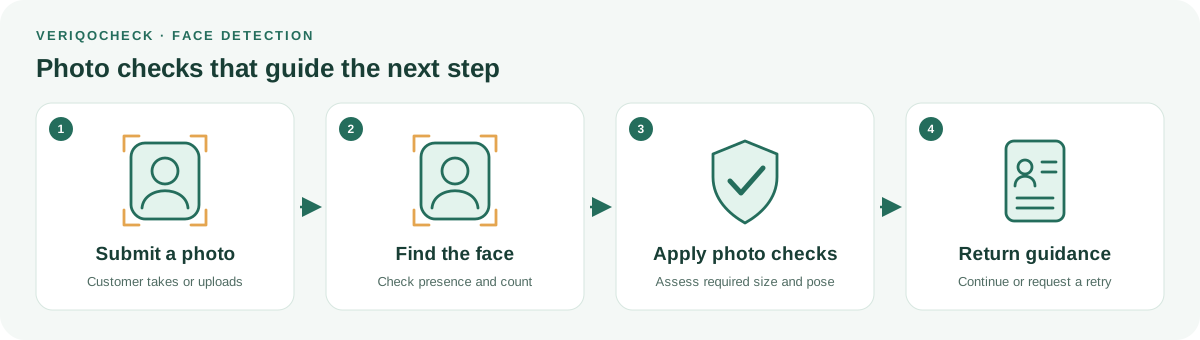
A missing face or a face too far from the camera can turn a simple upload into another support conversation. VeriqoCheck Face Detection helps your service recognise common photo problems and guide a better submission. Collect the views your workflow needs and keep each result connected to the correct image.
Catch missing faces, group photos and unsuitable captures before they slow down your onboarding team.
Define one to twelve image slots with a unique label and instructions for each required view.
Use face presence, count and the available capture measurements to identify submissions that need attention under your policy.
Turn returned reasons into useful guidance, such as asking for one clearly visible face instead of a group photo.
Keep detection evidence and completed image slots together, so your team can focus on the submissions that need a decision.
Specify the image views needed for the use case, including clear capture instructions.
The applicant sees only the requested images and completes them through a focused mobile flow.
Each accepted slot returns its own state and detection data for downstream review or automation.
An upload error leaves someone guessing. An image-level reason lets your service explain the correction at the point of capture. Match the message to the returned evidence and your requested photo rules.
Named slots and client references help your team identify the submission being reviewed. Available measurements can support a consistent capture policy; a missing required measurement should remain visible.
AI locates faces and supports capture checks. Where enabled, additional profile-photo screening assesses visible photographic form. It cannot prove image provenance or identity.
Our AI and verification approach →Face Detection locates faces within submitted images. It does not compare identities, search a stored population, or by itself prove who a person is.
Africa first means starting with the markets, documents and devices your customers use. Coverage and capture readiness are confirmed for your deployment; no universal document support or guaranteed compliance is implied.
No. It means the image satisfies the applicable capture checks. Document authenticity and the relationship between a person and their document need separate evidence.
No. A still-image face check does not establish that a person was physically present during a live capture.
Supported request-driven capture can collect between one and twelve named images. Your integration should use the limits and capture instructions supplied for its session.
Bring your photo rules and representative submissions. Let’s define a capture journey customers understand.
Get started with VeriqoCheck